⚙️ Introduction :
In Linux and other Unix-like systems, the diff and patch commands are powerful tools used to identify and apply differences between files.
The diff command compares two files line by line and shows what changes are required to make them identical, while the patch command applies those changes to a file.
These commands are commonly used by developers, system administrators, and DevOps engineers to manage source code updates, configuration modifications, and version control tasks.
By using diff and patch, you can share small updates efficiently without distributing entire files, making collaboration and maintenance faster and more reliable
⚙️ Purpose
This article explains:
The usage of
diffandpatchcommandsHow to create and apply patch files
Practical examples and use cases
⚙️ diff Command
The diff command compares two files line by line and outputs the differences between them.
Syntax:
- diff [options] file1 file2
⚙️ Command Used:
-u → Unified format (used for patches)
-c → Context format
-i → Ignore case
-w → Ignore whitespace
Let take an example of diff -w
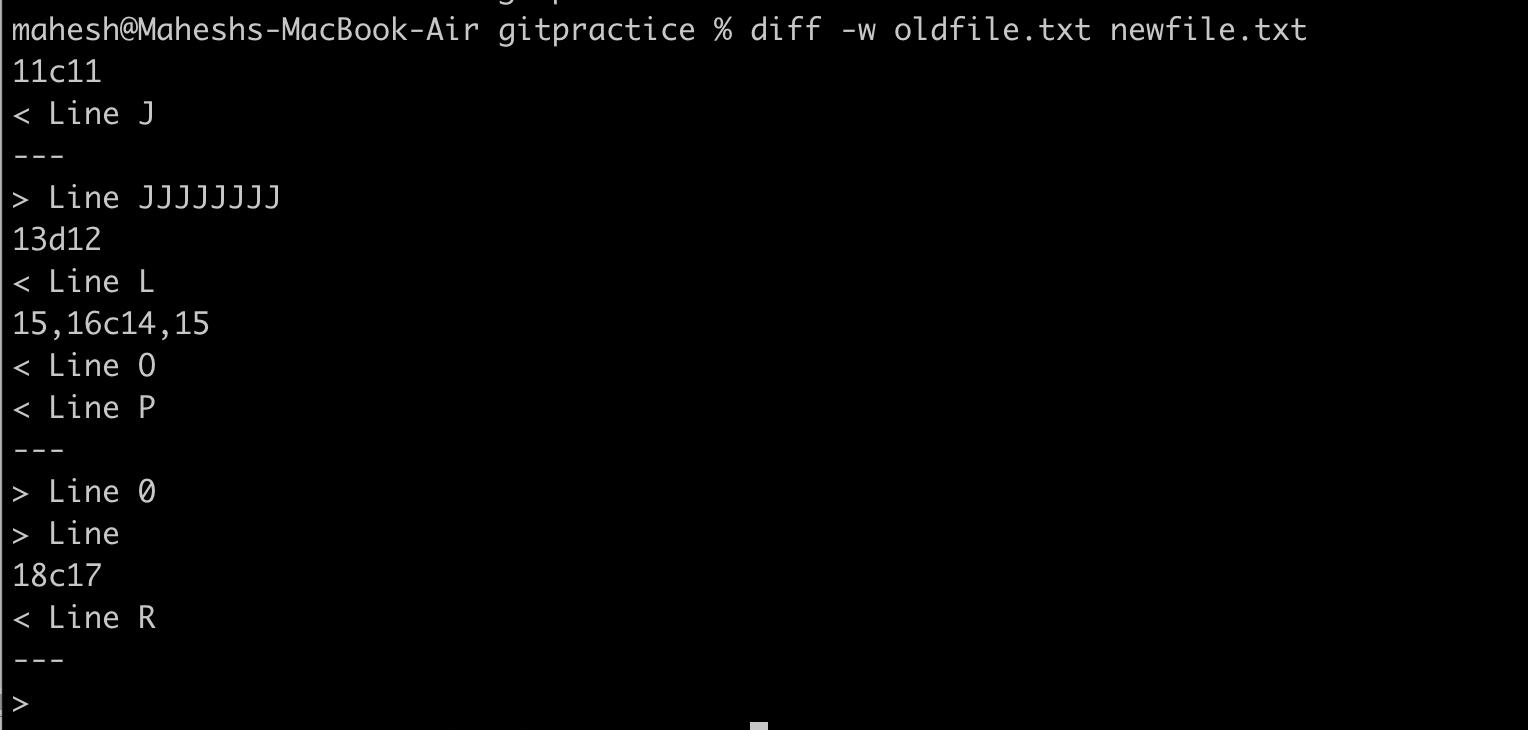
Anatomy of diff normal output
Change command letters:
a→ addd→ deletec→ change
Format:
[range in old file][a|d|c][range in new file]
| Change Type | Old File Lines | New File Lines | Description |
|---|---|---|---|
| Change | 11 | 11 | “Line J” → “Line JJJJJJJJ” |
| Delete | 13 | 12 | “Line L” removed |
| Change | 15–16 | 14–15 | “Line O / Line P” → “Line 0 / Line” |
| Change | 18 | 17 | “Line R” → (blank line) |
# diff -u
diff→ compares two files (or directories) line by line.-u→ unified format: shows differences along with a few lines of context before and after the changes.Default 3 lines of context (can be changed with
-U <num>).Widely used in patch files and version control (like Git) because it’s easy to read and apply.
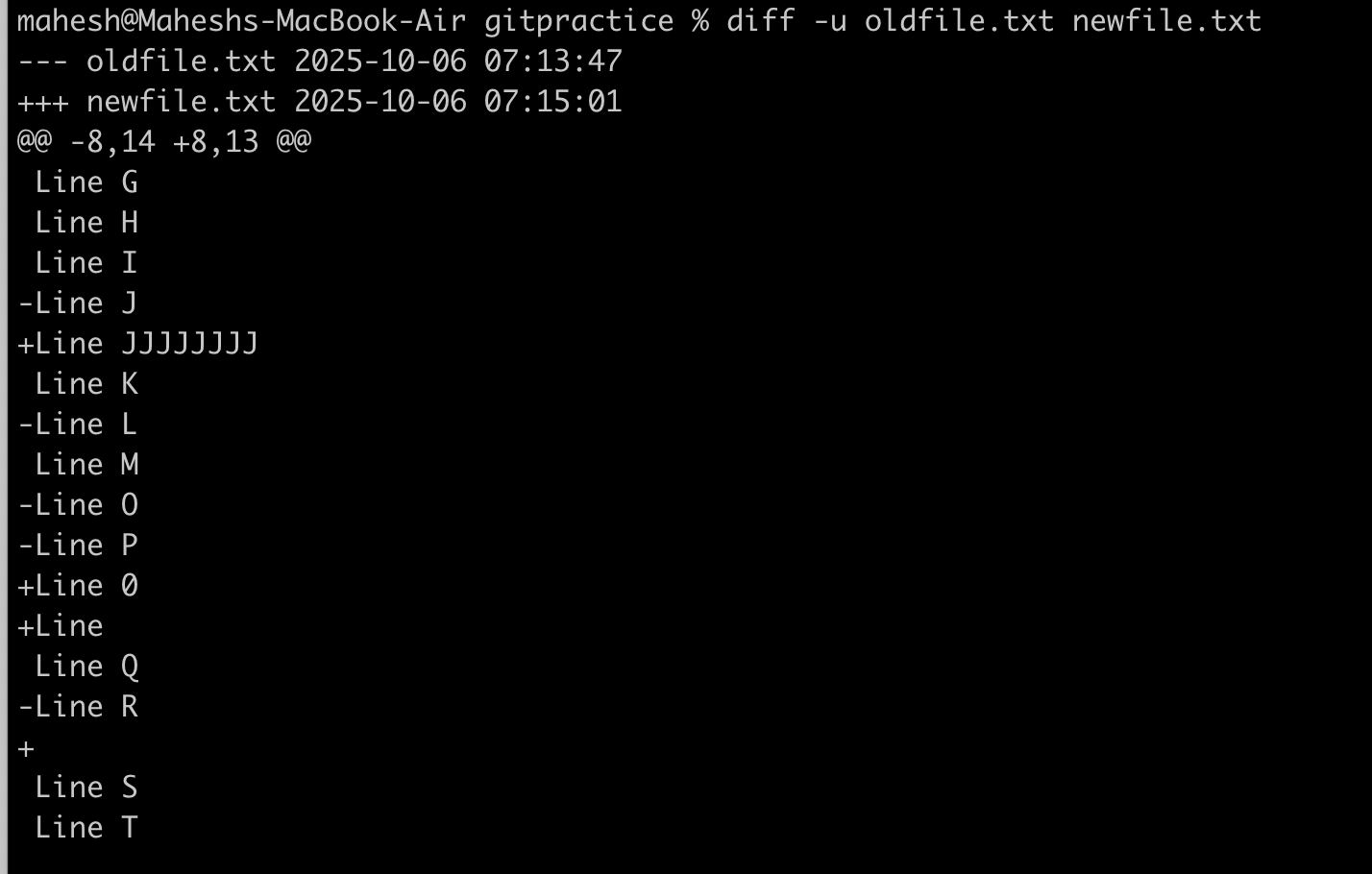
A unified diff has:
1: File headers :

---→ original (old) file+++→ new fileTimestamps show last modification time.
2: Hunk headers :

startOld,countOld→ lines in old file included in hunk
startNew,countNew→ lines in new file included in hunkA hunk is a block of changes, including context lines
-8,14→ old file: starts at line 8, spans 14 lines+8,13→ new file: starts at line 8, spans 13 lines@@marks the start of a hunk (block of changes).
3: Lines with prefixes :
| Prefix | Meaning |
|---|---|
| (space) | unchanged |
- | line removed (from old file) |
+ | line added (in new file) |
What is a Patch File?
A patch file is a text file that contains the differences between two versions of a file or directory — generated by diff.
It’s used to update an old version of a file to a new one using the patch command.
⚙️ Step-by-Step: Creating a Patch File :
Step 1 — Have Two Versions
You need:
oldfile.txt→ original versionnewfile.txt→ modified version
Step 2 — Use diff -u to Create Patch
# diff -u oldfile.txt newfile.txt > changes.patch

Step 3 — Check the Patch File
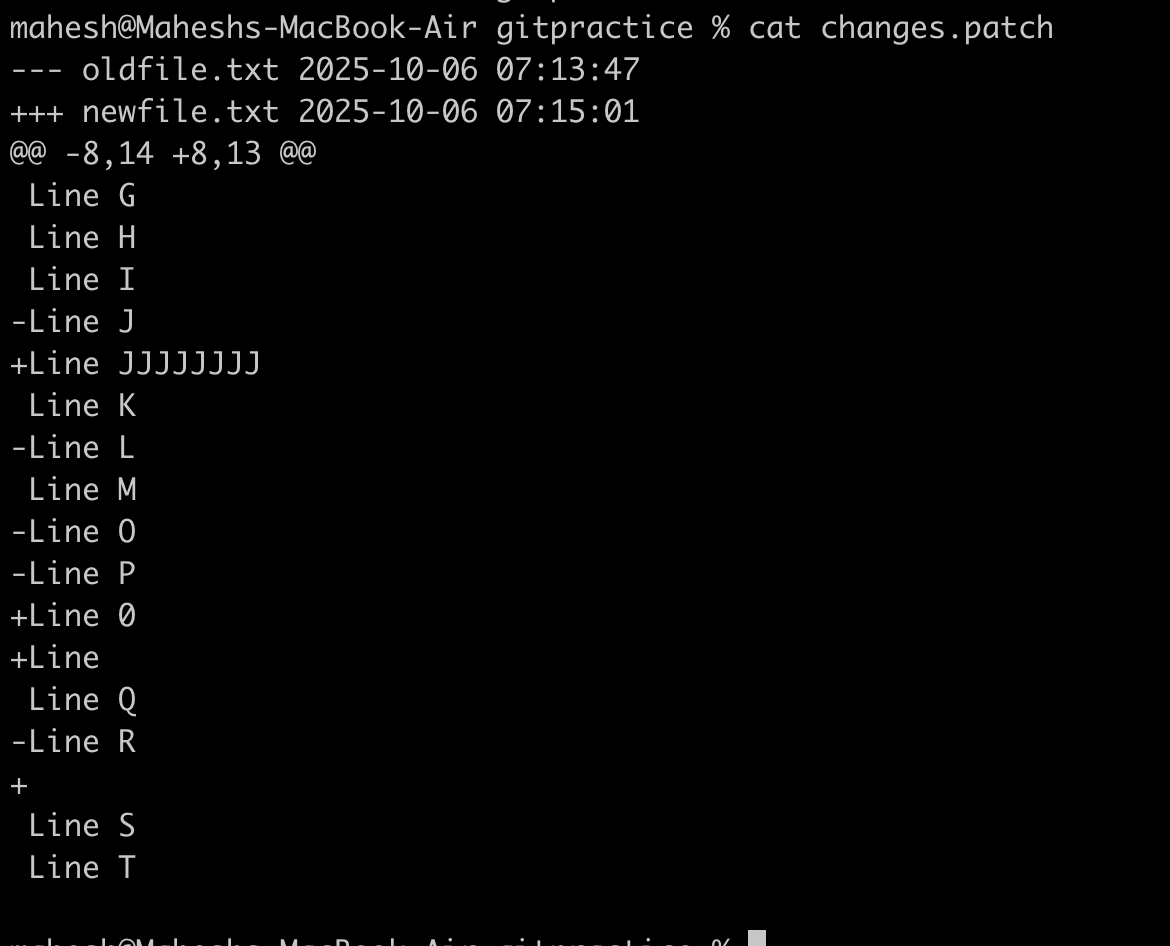
Patch Header:
| Symbol | Description |
|---|---|
--- oldfile.txt | The original (old) file name and its last modified date |
+++ newfile.txt | The new (updated) file name and its last modified date |
Hunk Header :
| Symbol | Meaning |
|---|---|
@@ | Marks start of a hunk (a section of changes) |
-8,14 | In oldfile.txt → change starts at line 8, affecting 14 lines |
+8,13 | In newfile.txt → starts at line 8, resulting in 13 lines after modification |
@@ | End of hunk header |
apply this patch :
# patch oldfile.txt < changes.patch

To verify the patch updated to file :
#diff oldfile.txt newfile.txt
#patch -b --verbose /etc/postfix/main.cf < /root/patch_testing/main_cf.patch
: Keeps a backup (e.g., main.cf.orig) before modifying.
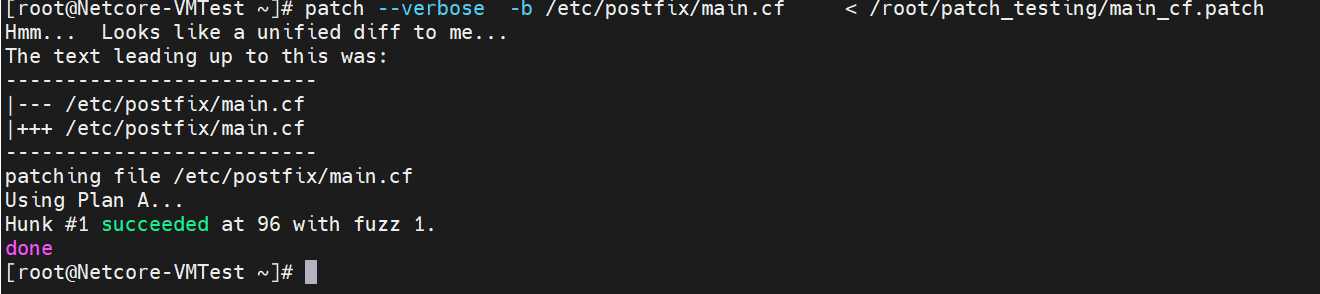
Backup File

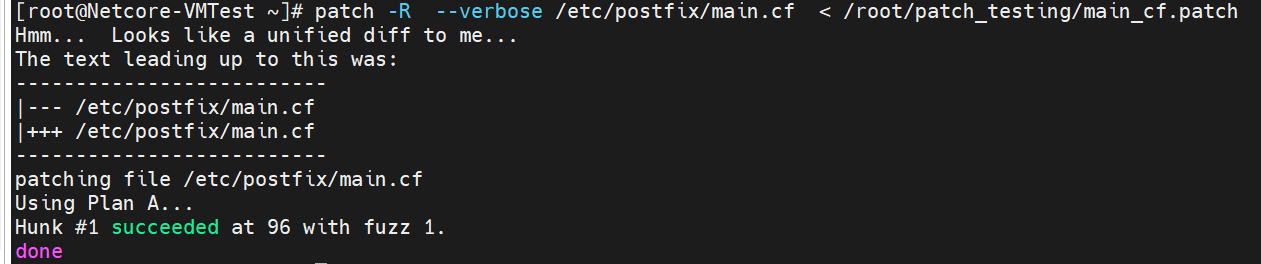
# patch -R --verbose /etc/postfix/main.cf < /root/patch_testing/main_cf.patch
Reverse a patch : Undoes the patch (rolls back to the old version).
To verify the patch has been revert back sucessfully. You can run diff -u command.
it reverses the meaning:
Lines prefixed with
+→ removeLines prefixed with
-→ add
So effectively it restores the file to its previous/original version.
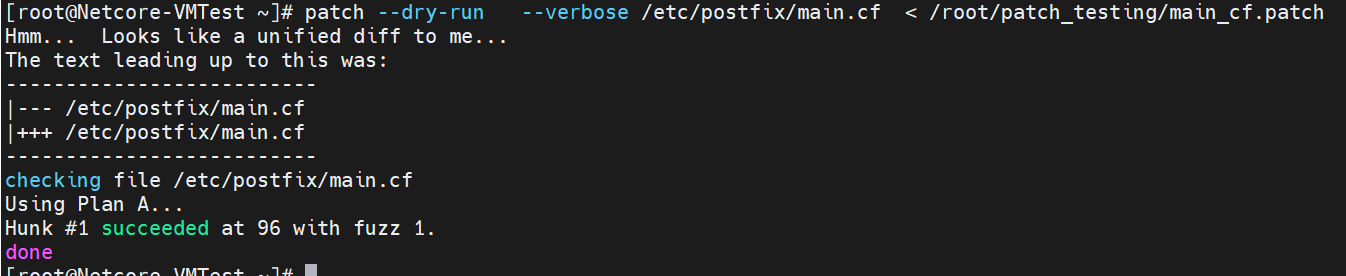
# patch --dry-run --verbose /etc/postfix/main.cf < /root/patch_testing/main_cf.patch
Dry-run first (test only):
# patch --verbose /etc/postfix/main.cf -o /etc/postfix/newmain.cf < /root/patch_testing/main_cf.patch
original_file→ the file you want to patch-o output_file→ the new file to write the patched version to< patch_file→ the patch containing changes--verbose→ show detailed information about what it’s doing — which lines or files are being patched.

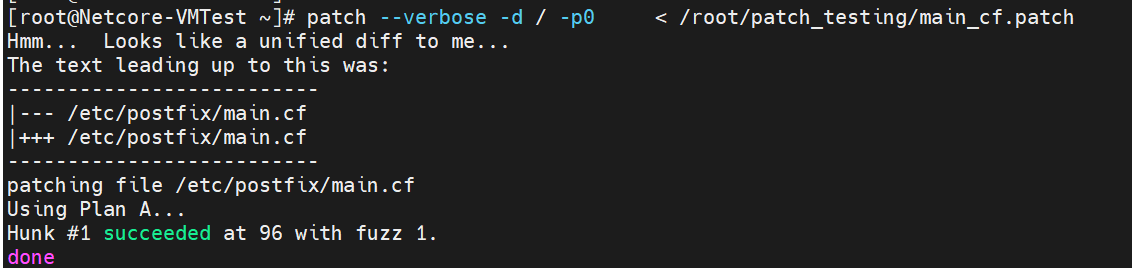
# patch --verbose -d / -p0 < /root/patch_testing/main_cf.patch
-d / means start from the root directory /
This is important when the patch file contains absolute paths like /etc/postfix/main.cf.
-p0 → looks for /etc/postfix/main.cf exactly (works with -d /).
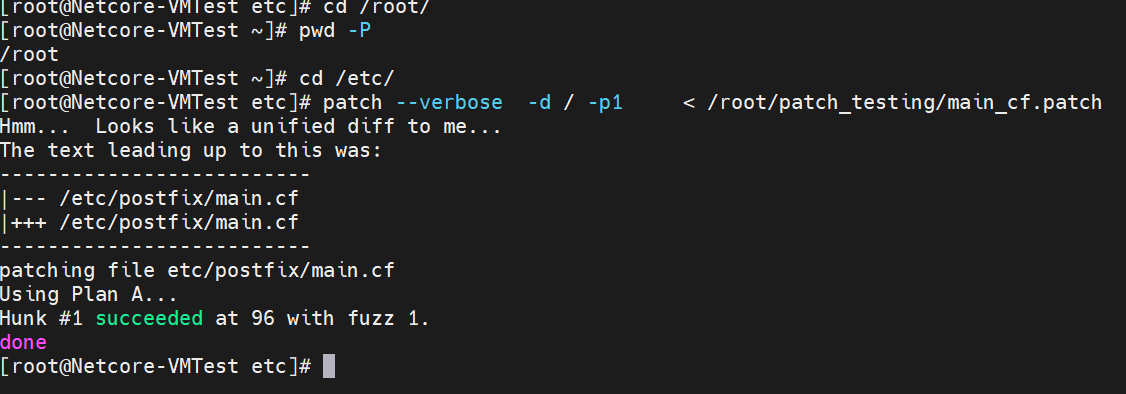
# patch --verbose -d / -p1 < /root/patch_testing/main_cf.patch
-p1 → would remove the first / → If you are in /etc folder & run the patch command
Strip the first path component from file paths in the patch file.
Was this article helpful?
That’s Great!
Thank you for your feedback
Sorry! We couldn't be helpful
Thank you for your feedback
Feedback sent
We appreciate your effort and will try to fix the article